How does the voice baseline work?
Viva can tell when the voice in one interview does not match the same student's other interviews.
This exists for one scenario: someone else sitting the interview. It compares a student's interviews against each other, not against any external database.
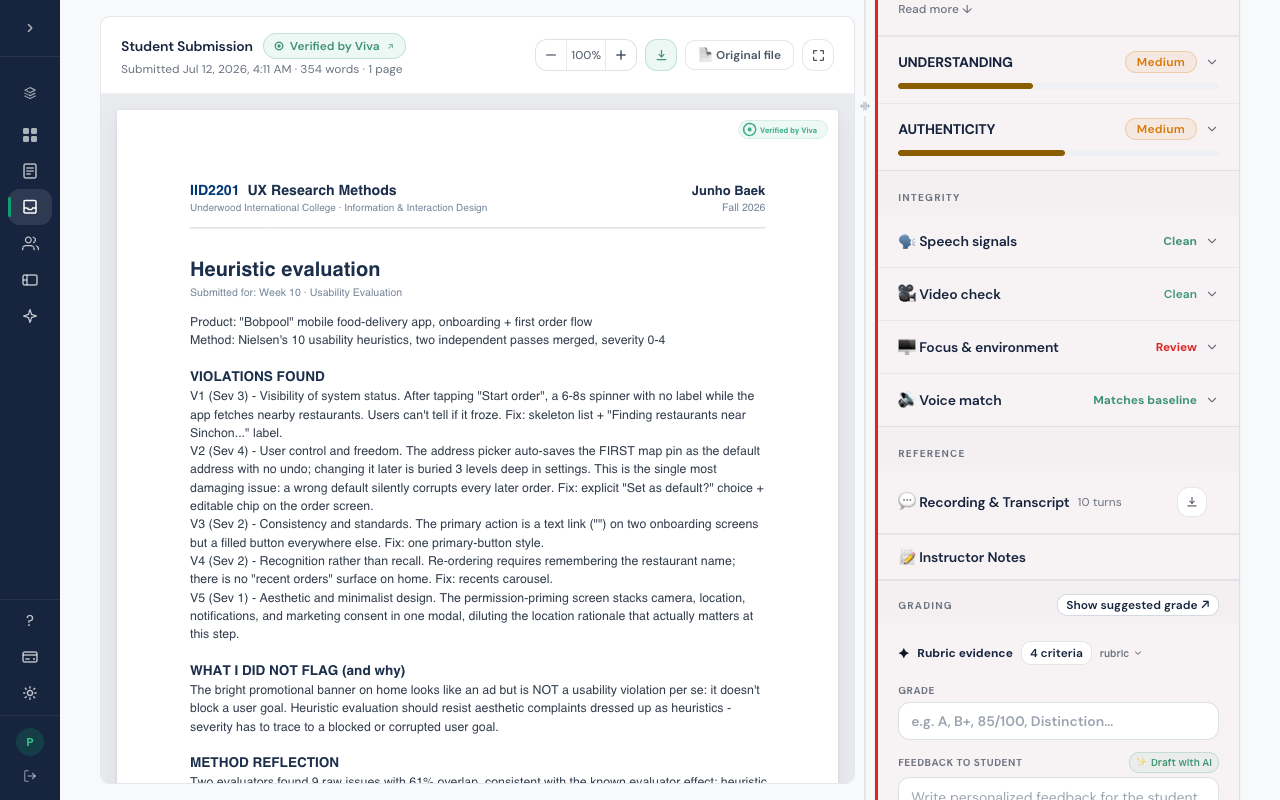
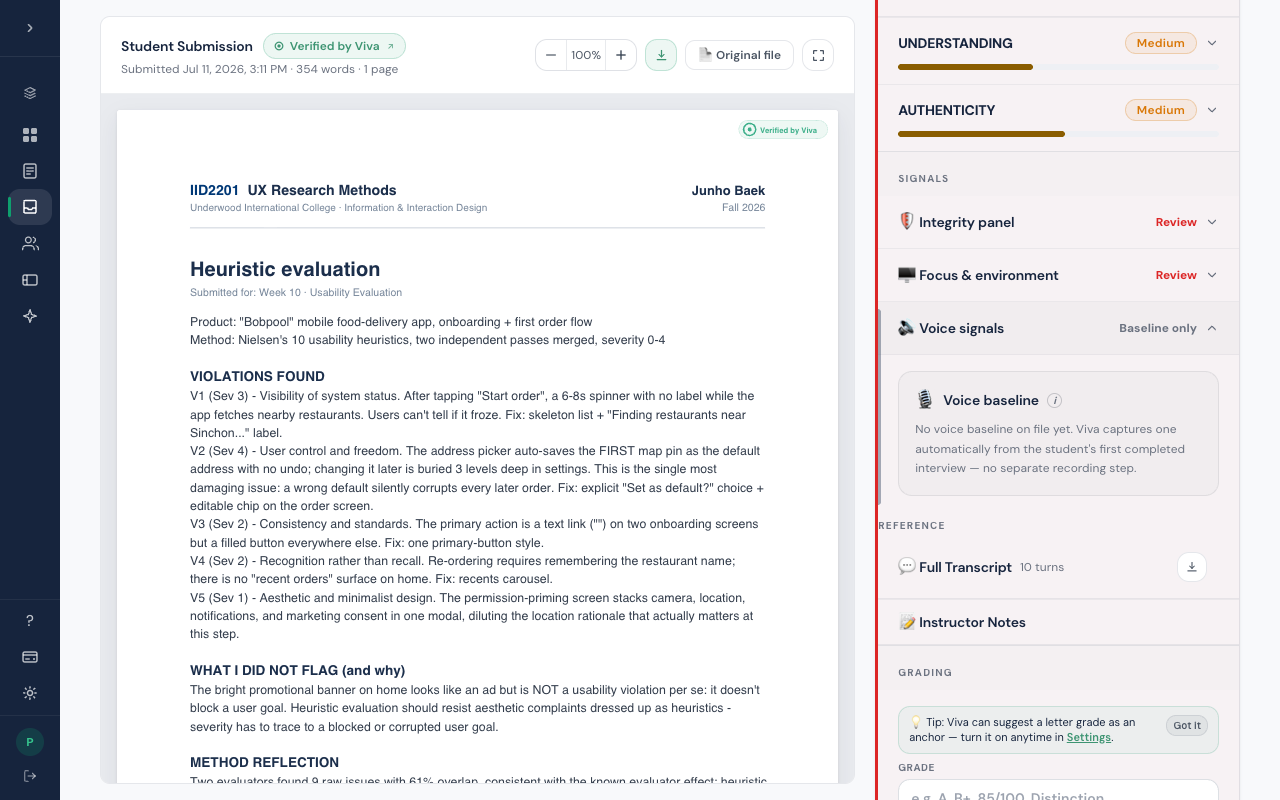
The report gives you a conclusion rather than a number. Voice match reads one of these:
| What the report says | What it means |
|---|---|
| Matches baseline | The voice lines up with the sample on file for this student. |
| Likely match | It clears the threshold, but only just. Uncommon, and worth a listen if anything else looks off. |
| Mismatch signal | Below the threshold. Listen to both recordings before you weigh it. |
| Not enough audio | Too little speech to compare. No conclusion either way. |
| Baseline only | A sample is on file, but this session was not compared against it. |
| No baseline yet | Nothing on file to compare against. Viva captures a sample from the student's first completed interview. |
The raw similarity score is still under Full breakdown, with the threshold it was judged against one hover away on the ⓘ beside it. That threshold shifts with how the score was produced, so the same percentage does not mean the same thing in two different sessions, which is why the panel leads with the conclusion instead.
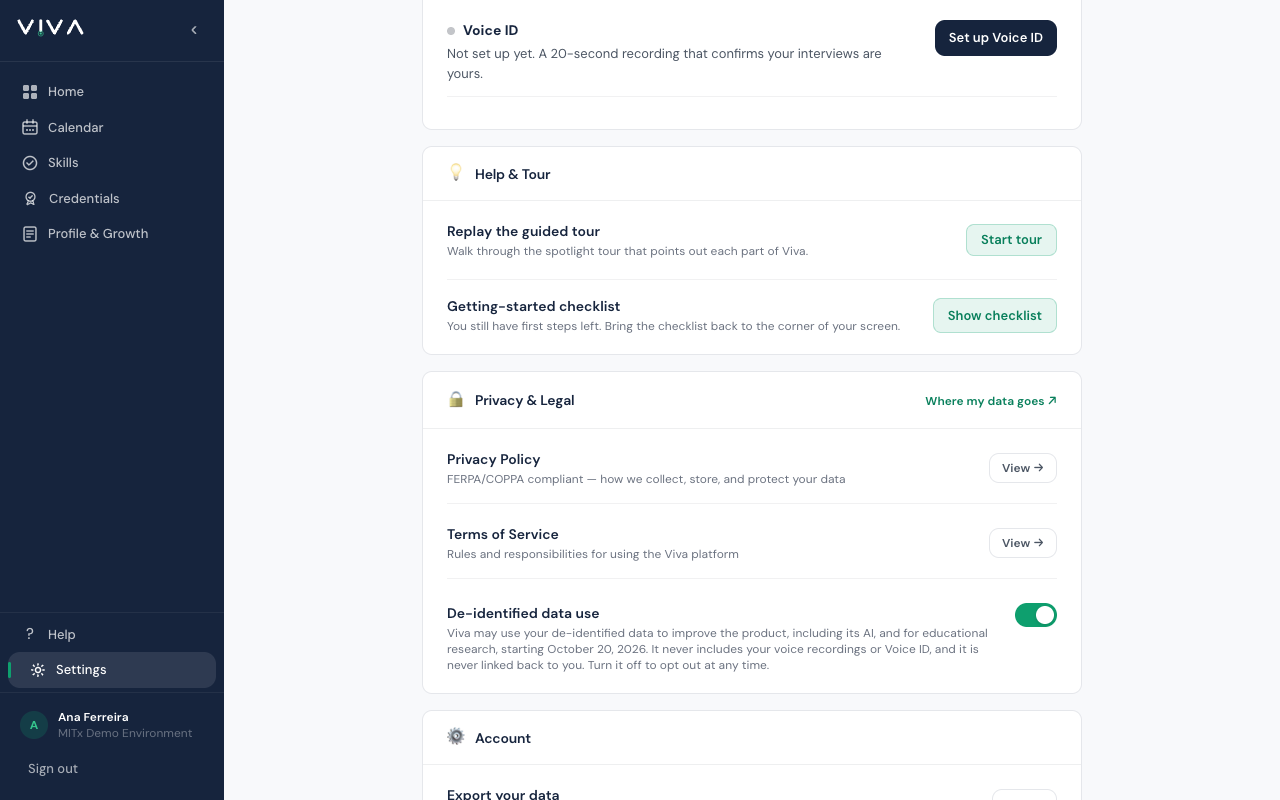
- Consent is required before any voice comparison is stored, and students are asked explicitly.
- A student who declines is not penalized. The interview runs; this one signal is absent.
- A mismatch is reported to you as a signal to look at, never as a conclusion. Illness, a different microphone and a bad room all change how someone sounds, which is why the report says so on the panel itself and asks you to listen first.
Instructors get the rest: the walkthroughs, the screenshots, and Ask Viva, which finds the right page from a typed question.