What pre-screening mode is
A school-level mode where Viva checks understanding and integrity but produces no grades at all.
Viva runs in one of two modes, chosen per school as part of the contract. The difference shows up in one place: whether a report ends with a Grading section.
Full grading is the default. Every report ends with a Grading section where you enter the grade, write feedback, save, and publish to the student.
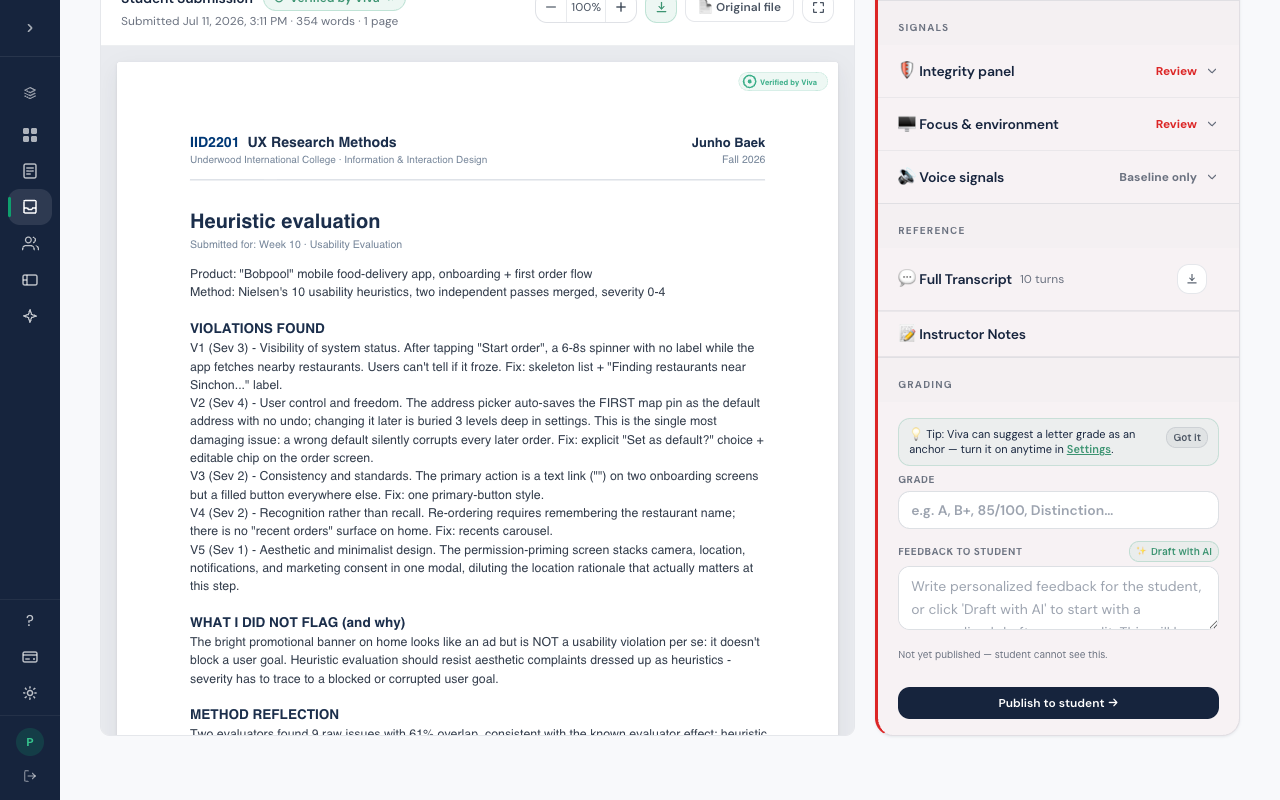
In pre-screening, that entire section is gone. Everything above it still runs: the interview, the Understanding and Authenticity analysis, the integrity and voice match checks, and the full transcript, so you still get the evidence. Viva just produces no mark, and you grade the work wherever you normally do.
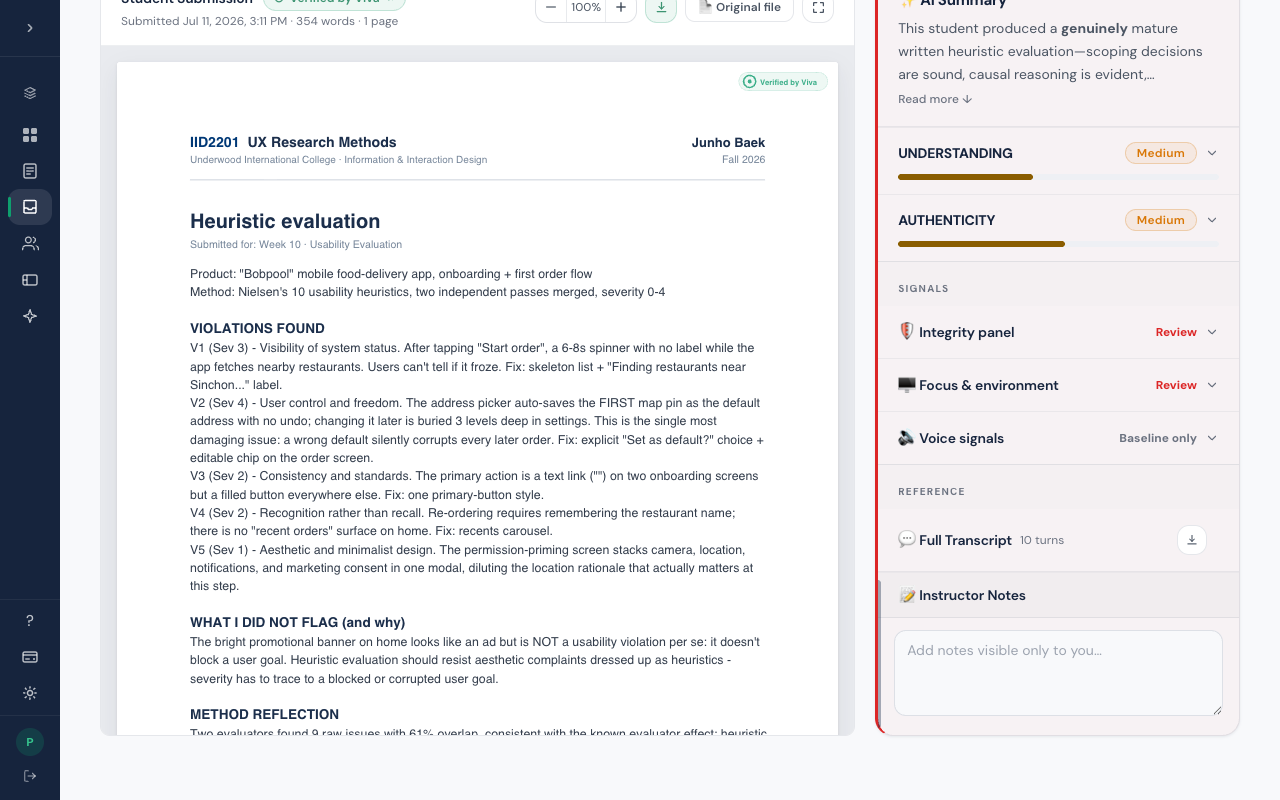
Turning grading off entirely is a real choice, and some departments make it: Viva then works purely as an understanding check and an integrity record. If your reports have no Grading section and you expected one, this mode is why. Ask your school admin, or ask us.
See also
Instructors get the rest: the walkthroughs, the screenshots, and Ask Viva, which finds the right page from a typed question.