Using a Met / Not Met rubric
Mark each criterion met or not met, with a confidence figure; the interview score stays. Every file the student submits counts as evidence, and an assessor can overrule any single judgment.
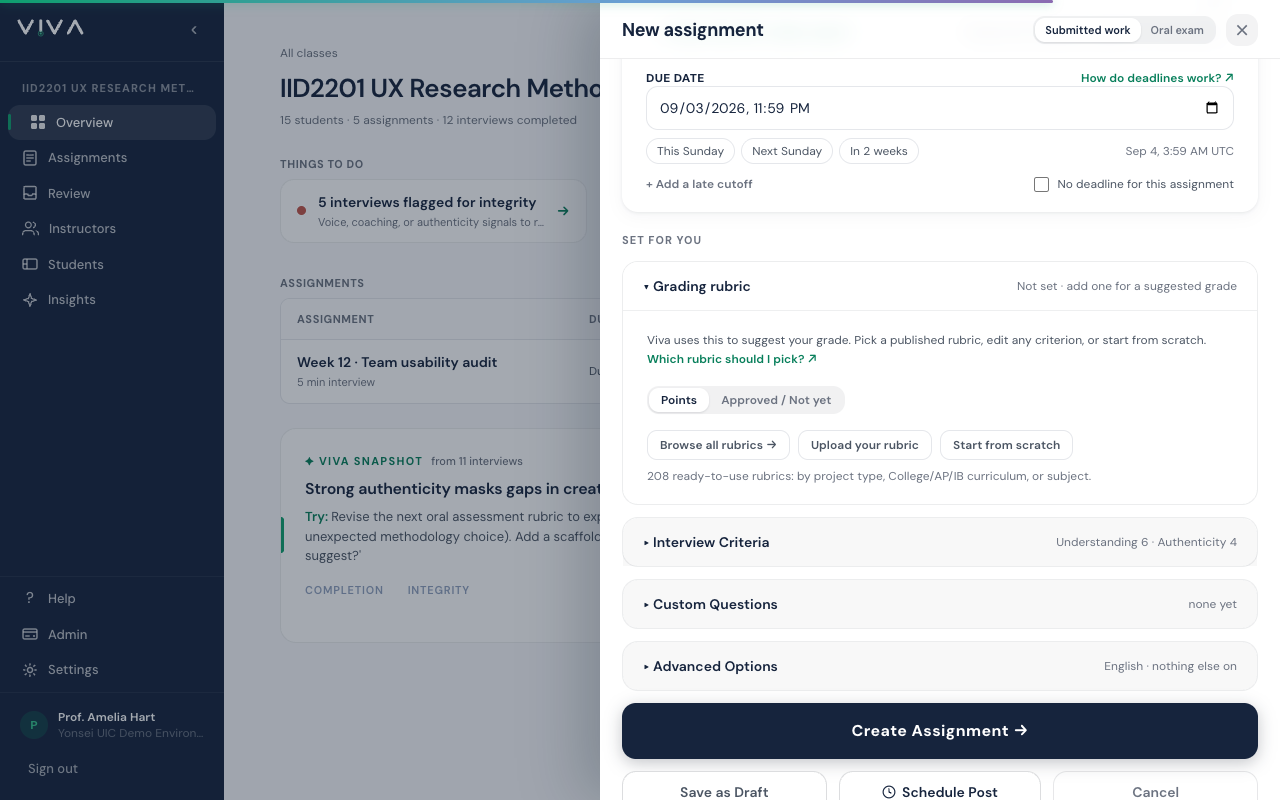
A points rubric answers "how good was this, out of 30". A competency rubric answers a different question for every criterion: has this person shown it, or not. Viva supports both. The switch lives on the assignment form, above the criteria, and it changes three things at once: how the interview reads the submission, what grading returns, and what the student sees. On an oral check-in, which has no submission, the criteria shape the check-in's topics instead.
- 1
On the assignment form, open Grading rubric, click Change beside How each criterion is judged and choose Met / Not Met, then write one row per competency in the words your program uses. There are no point values to fill in. Sixteen criteria is fine: the interview covers them across the conversation, and the report lists every one.
Every file is evidence
Ask for every deliverable. Students can attach up to 10 files, and all of them are evidence: a specification, a session log and a cost sheet are read as peers, not as one main file plus context, and the interview reaches each of them. This is how every assignment reads a multi-file submission; it matters most here, where the bundle is the point.
Reading the report
After the interview, open the report. Criteria outcomes lists each criterion as Met, Not met, or Not assessed when neither the interview nor the submission gave evidence either way, with the evidence Viva cited and its confidence. A short interview leaves many criteria not assessed; that is the honest result, not a failure. Low-confidence rows are tinted: that is where a human look is worth most. Open wide shows the whole table across the screen. The verdict at the top of the report is a different question: it is the ownership check, whether what the student said matched what they submitted, so a Strong verdict can sit above a table with few criteria met. The line under the verdict, such as 6 of 16 met, is the criteria result at a glance, and the assignment roster has a Met column with the same count for every student. Every criterion whose description contains a question is asked in those words during the interview, so a criterion is Not assessed only when it is scored outside the conversation or the student gave no answer; the assignment form warns when the interview length is too short to reach every criterion.
Overruling a judgment
Disagree with a judgment? Click the pencil on that row and choose Met, Not met, or Undo my decision. Your decision is recorded with your name and the date, and Viva's original judgment stays visible beside it. Each row also says whether the evidence came from the interview, from the submission only, or from both. Owners, co-instructors and TAs can decide; graders read.
- The interview score appears exactly as it does with a points rubric, on the report, the roster and the student results page. What this mode changes is the criteria: the line under the verdict reads "12 of 16 met", and the student results page lists every criterion with its outcome beside the score.
- The grades CSV on the assignment page carries one column per criterion with the outcome, the confidence, and who decided it, so you can feed a badge or credential system.
- Authenticity checks run exactly as they do for a points rubric. The competency switch changes judgment, not integrity.
- An LMS gradebook receives the interview score, as with a points rubric. To send the criteria result instead, publish a grade such as 12/16: it arrives as 7.5 out of 10.
See also
Instructors get the rest: the walkthroughs, the screenshots, and Ask Viva, which finds the right page from a typed question.