Choosing a grading rubric
Pick a ready-made rubric from the library, filter it by curriculum and by what students hand in, upload your own, or save one for reuse.
The rubric section sits inside the assignment form. Before you open the library, Viva already suggests up to three rubrics matched to the subject and grade level you typed, so most assignments need one click. Once anything sits under My rubrics, whether you saved it, starred it, or your institution handed it to you, that shelf takes the place of the suggestions: a rubric you have already chosen beats a guess made from the subject line. Click Browse all rubrics to see the whole library either way.
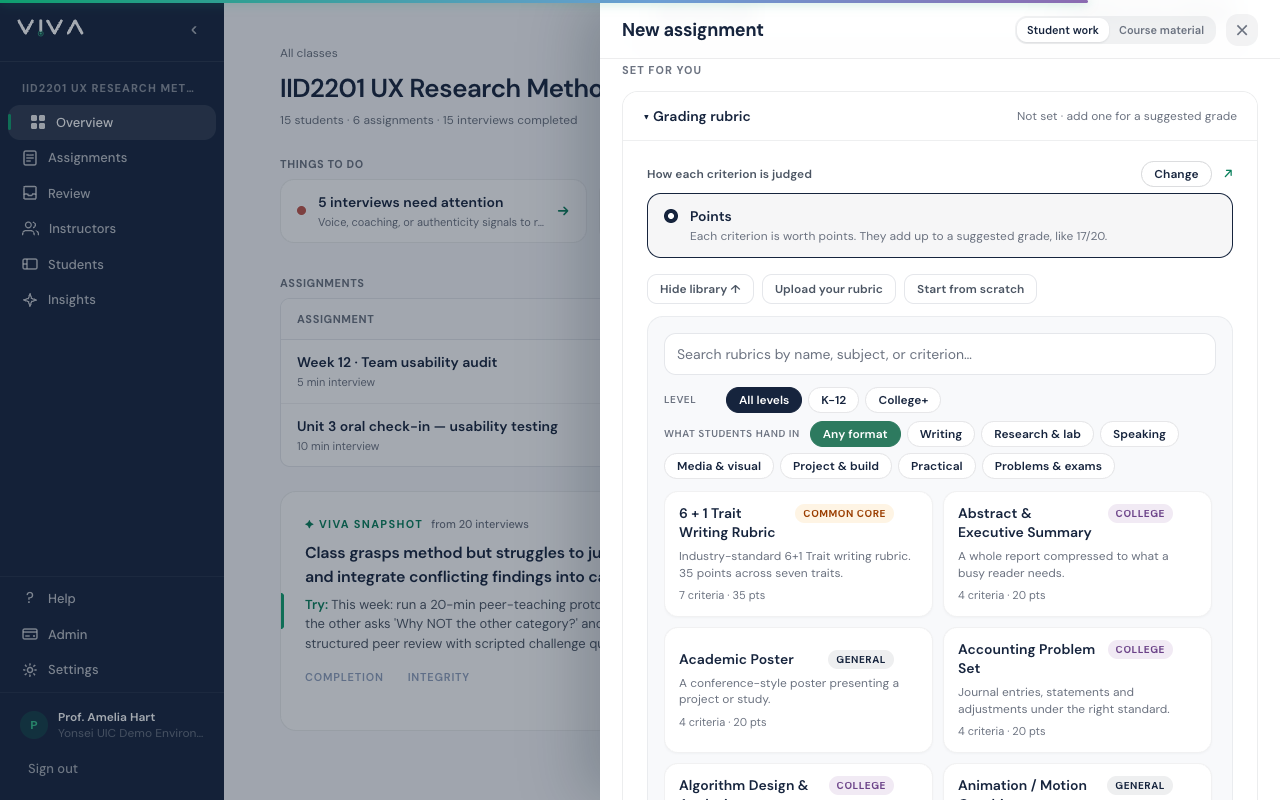
Inside the library there are two rows of filters, and they combine. Level comes first: All levels, K-12, or College+. Choosing K-12 adds a curriculum row (Any curriculum, AP, IB, Common Core); choosing College+ adds a field row (All fields, STEM, Humanities and social sciences). What students hand in is the assignment question: Writing, Research and lab, Speaking, Media and visual, Project and build, Practical, or Problems and exams. Looking for a podcast or video rubric, choose Media and visual; for an oral defense or a debate, choose Speaking.
- 1
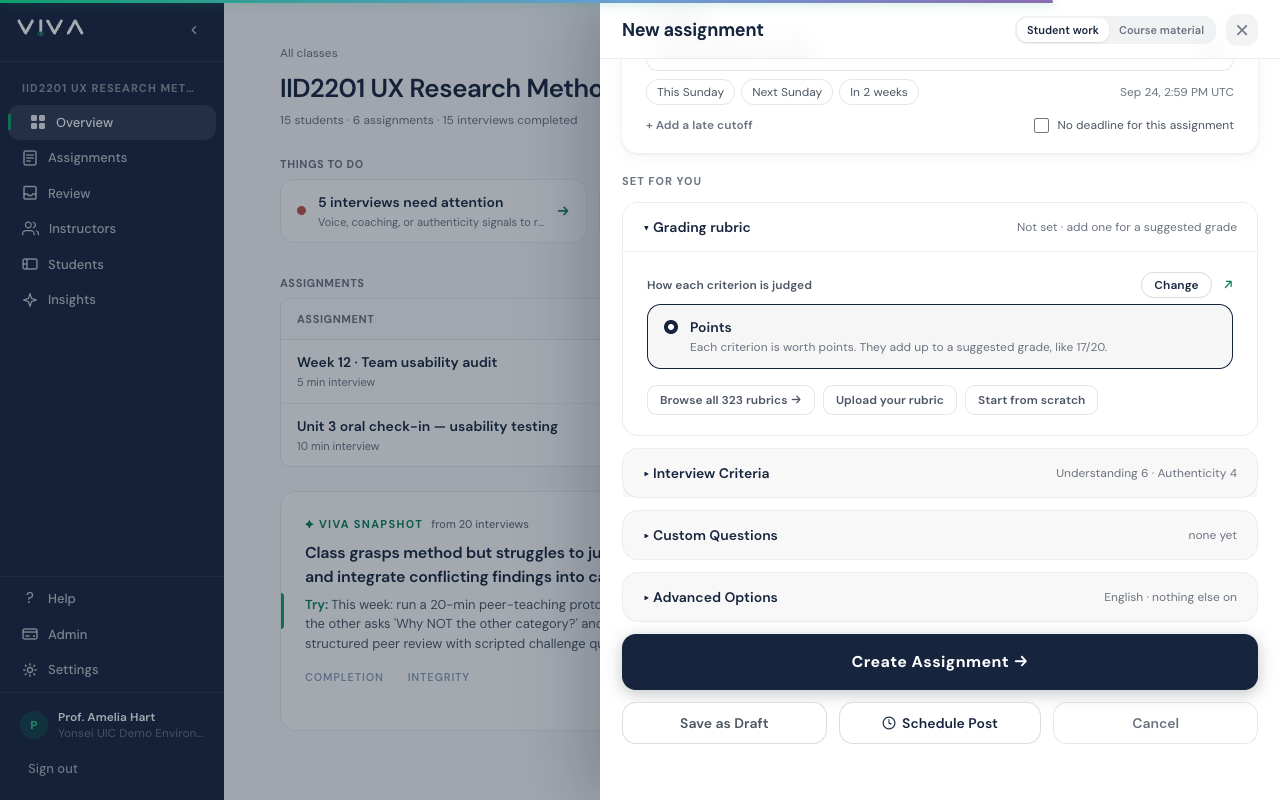
On the assignment form, open Grading rubric. When your class has a subject and grade level, Viva suggests up to three matching rubrics right here, and once anything sits under My rubrics that shelf takes their place. Browse all rubrics opens the whole library.
- 2
Click Browse all rubrics, then pick a level: K-12 or College+. The row beneath it changes to match, with AP, IB and Common Core under K-12 and STEM or Humanities under College+.
- 3
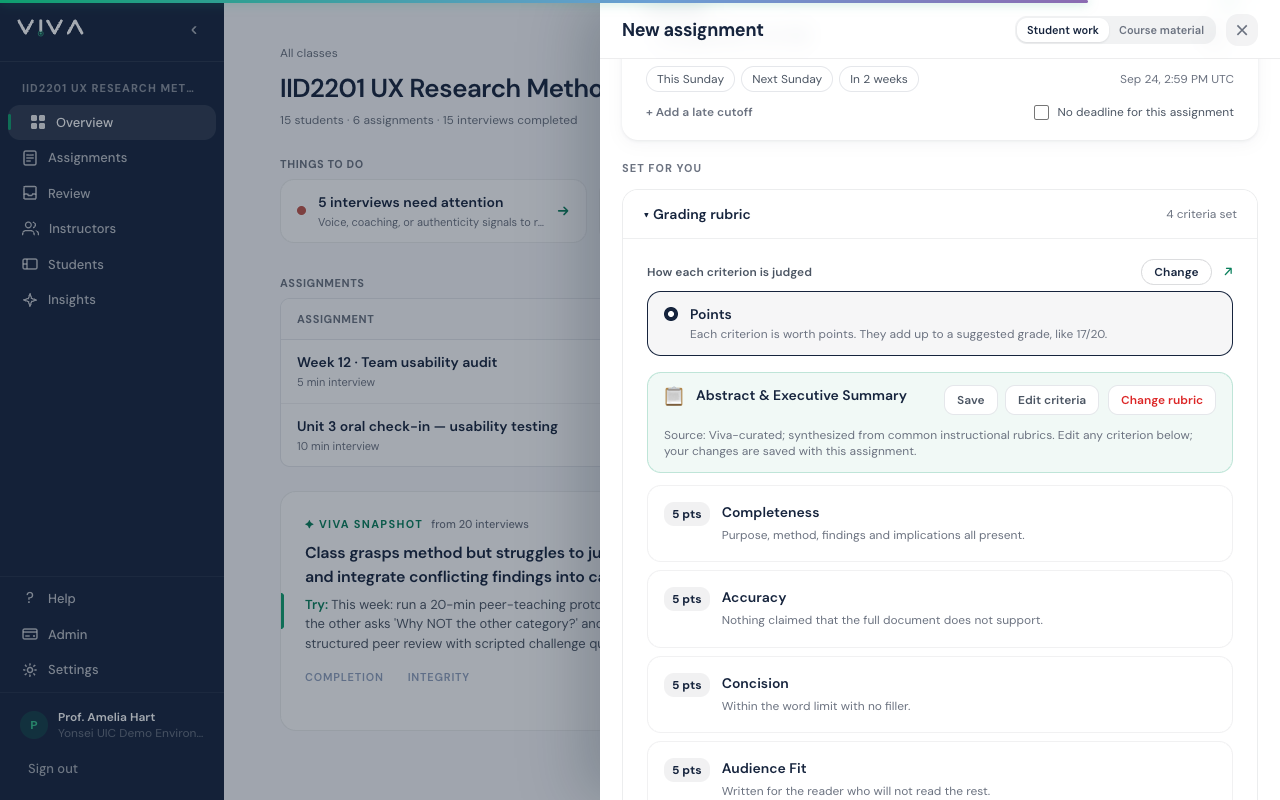
Pick a rubric. Its full name and source appear above the criteria, and Save keeps it under My rubrics so the next assignment starts from it.
- Search understands meaning, not just words: typing "students record themselves explaining" finds the video and podcast rubrics even though neither contains that phrase.
- Every library rubric is a starting point. Once loaded, you can rename criteria, change point values, add rows or delete them.
- Already have a rubric? Upload your rubric turns a PDF, Word file, slide or photo into editable criteria for you to check.
- Some institutions hand every instructor a rubric of their own. It appears under My rubrics the moment your account joins the institution, ready to edit like any saved rubric.
- Star any library rubric to keep it under My rubrics. The star sits in the top right corner of each card, and clicking it again removes it. A star points at the library rubric rather than copying it, so when we improve that rubric your starred copy improves too.
Above the criteria, the judging mode shows as one settled card; click Change beside it to switch. Points, the default, sums each criterion into a suggested grade. Met / Not Met marks each criterion as met or not yet met, with no points and no total score. Pass/fail, competency and badge assessments use the second one.
Instructors get the rest: the walkthroughs, the screenshots, and Ask Viva, which finds the right page from a typed question.